Metering Validation Submission Requirements
You will have to submit the Metering Onboarding template to the ASM for metering validation.
Metering Onboarding template: After completing all the steps mentioned in Prerequisites and Licensing, fill out the Metering Onboarding template with the following details and submit it to the ASM.
OpsRamp Service URL
After logging in to the workspace, share the service URL, as shown below: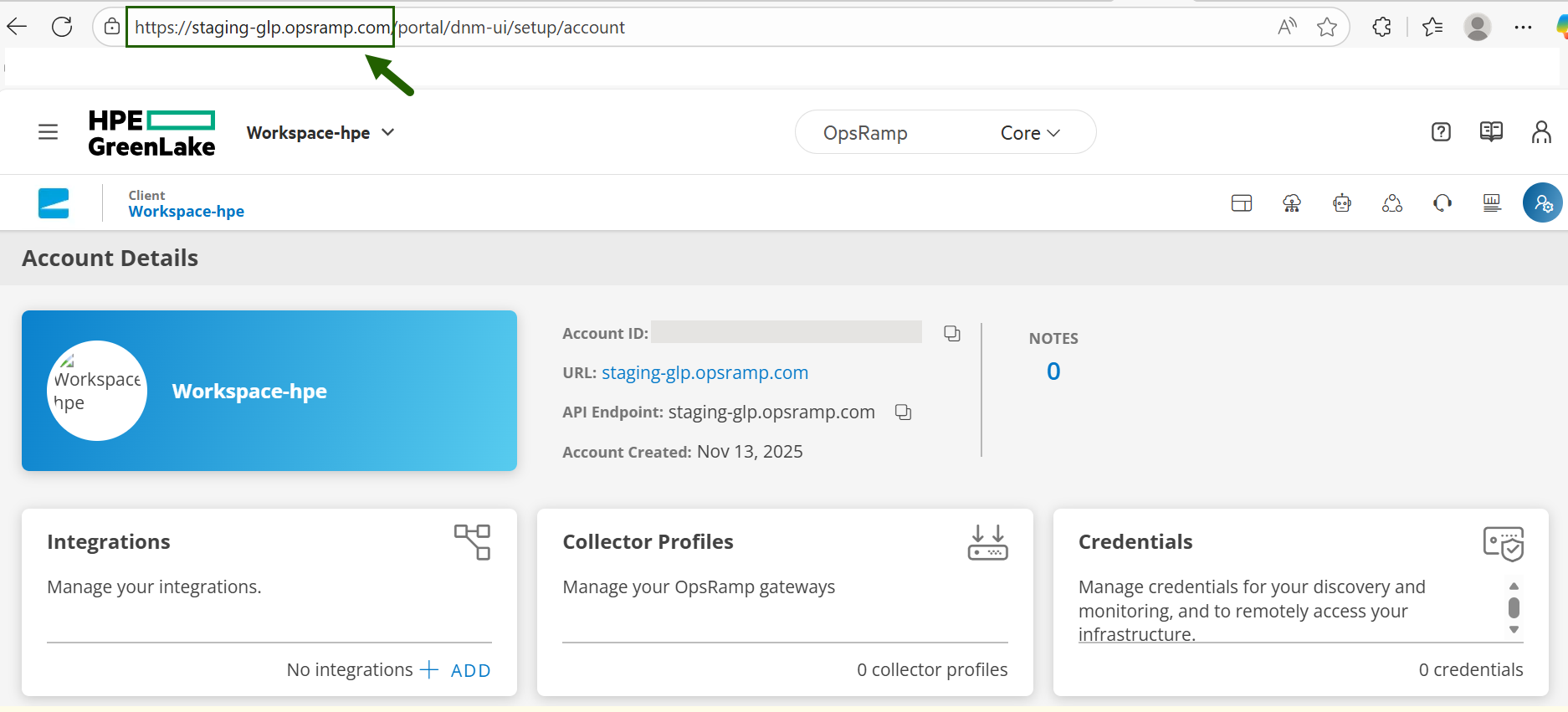
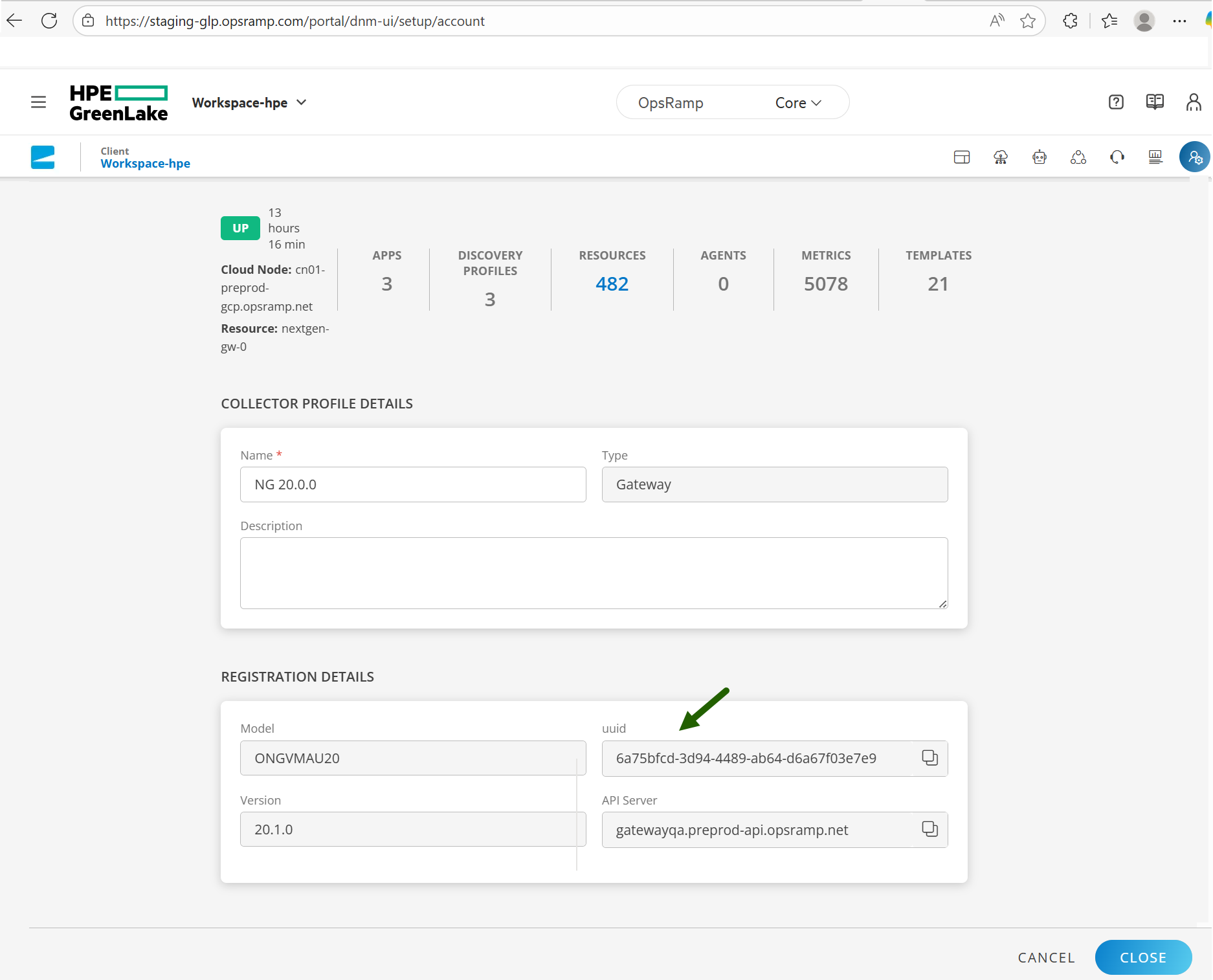
OpsRamp Gateway UUID
Follow these steps to fetch Gateway UUID:
- To select your client, click the Client/Partner dropdown menu. You may either type your client’s name in the search bar or select your client from the list.
- Navigate to Setup → Account. The Account Details screen is displayed.
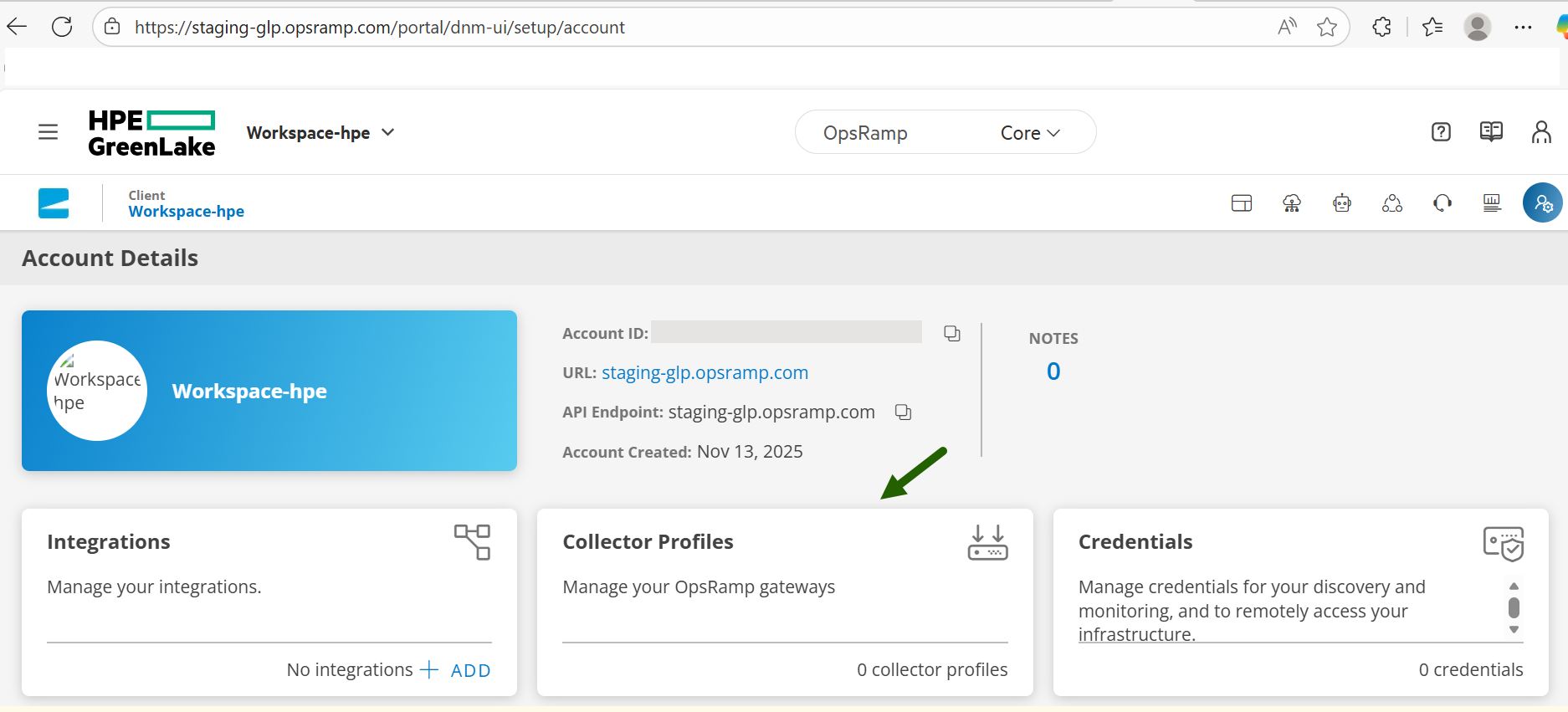
- Click Collector Profiles tile. The Collector Profiles page is displayed.
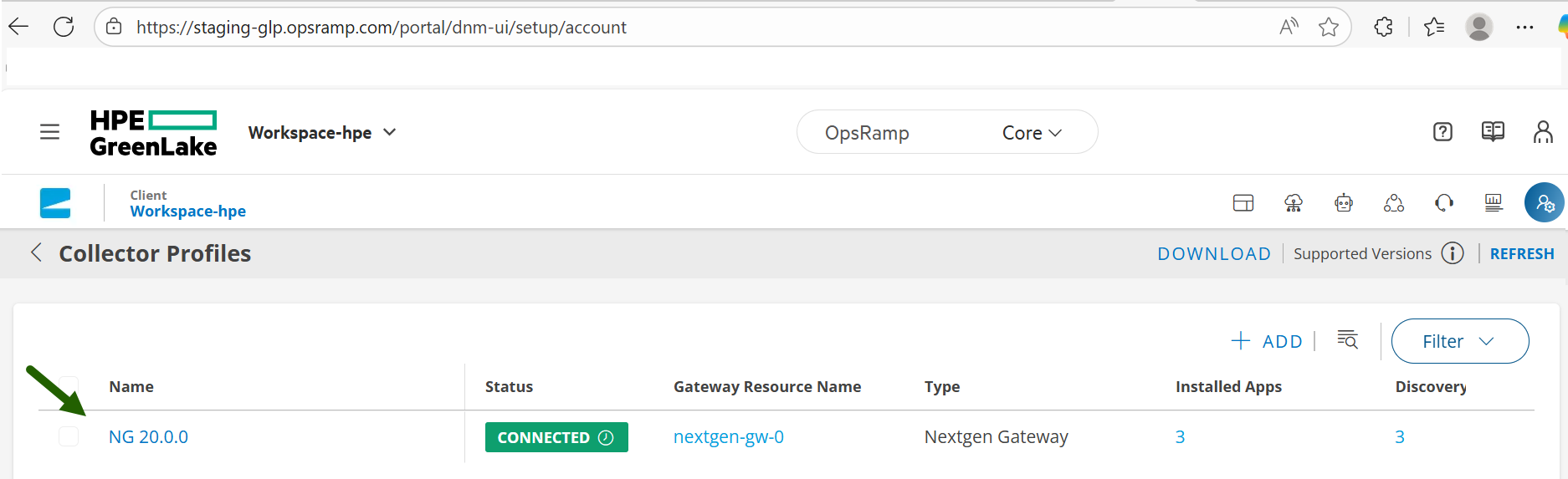
- Click the profile name. From the REGISTRATION DETAILS section, copy and share the Gateway UUID.
Credential names
Follow these steps to share Credential names:
- To select your client, click the Client/Partner dropdown menu. You may either type your client’s name in the search bar or select your client from the list.
- Navigate to Setup → Account. The Account Details screen is displayed.
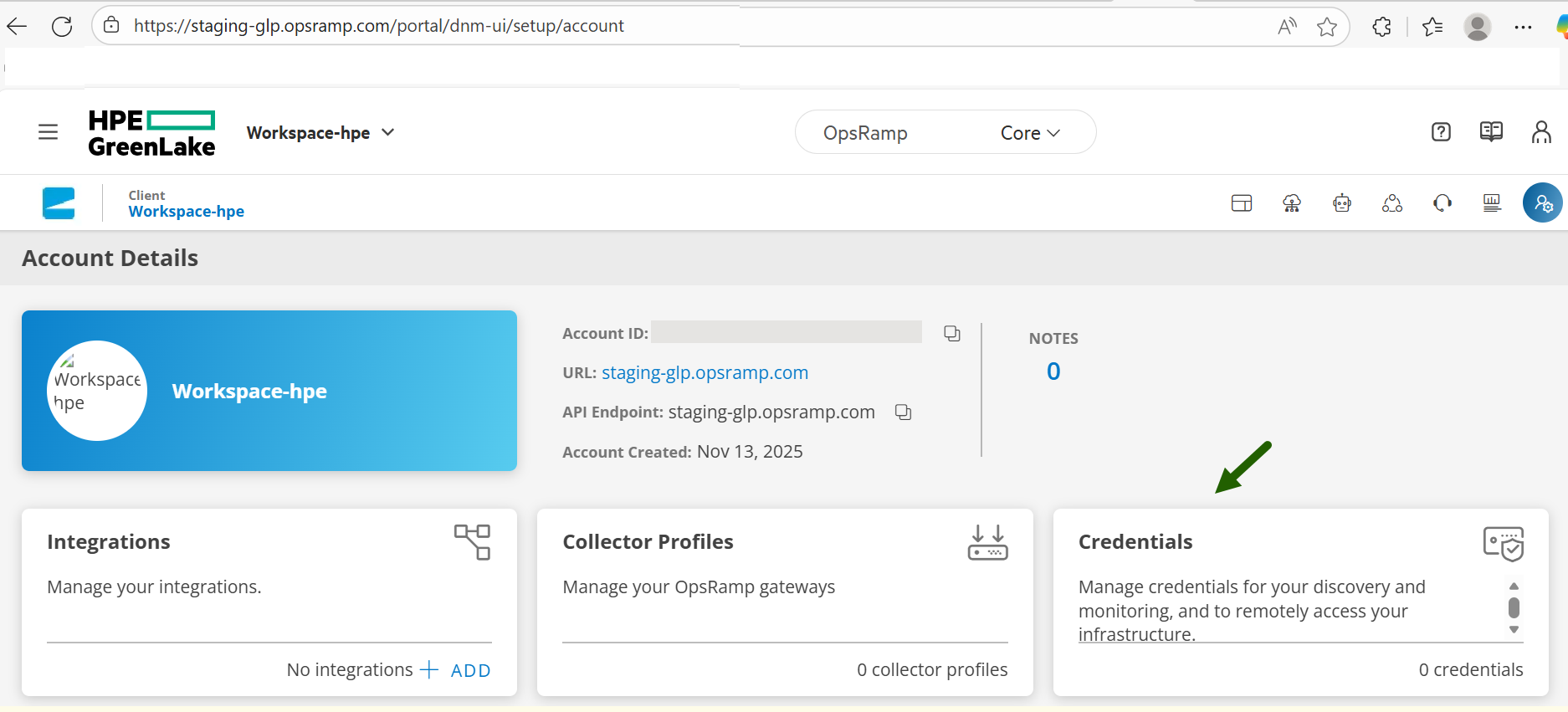
- Click Credentials tile. The CREDENTIALS page is displayed.
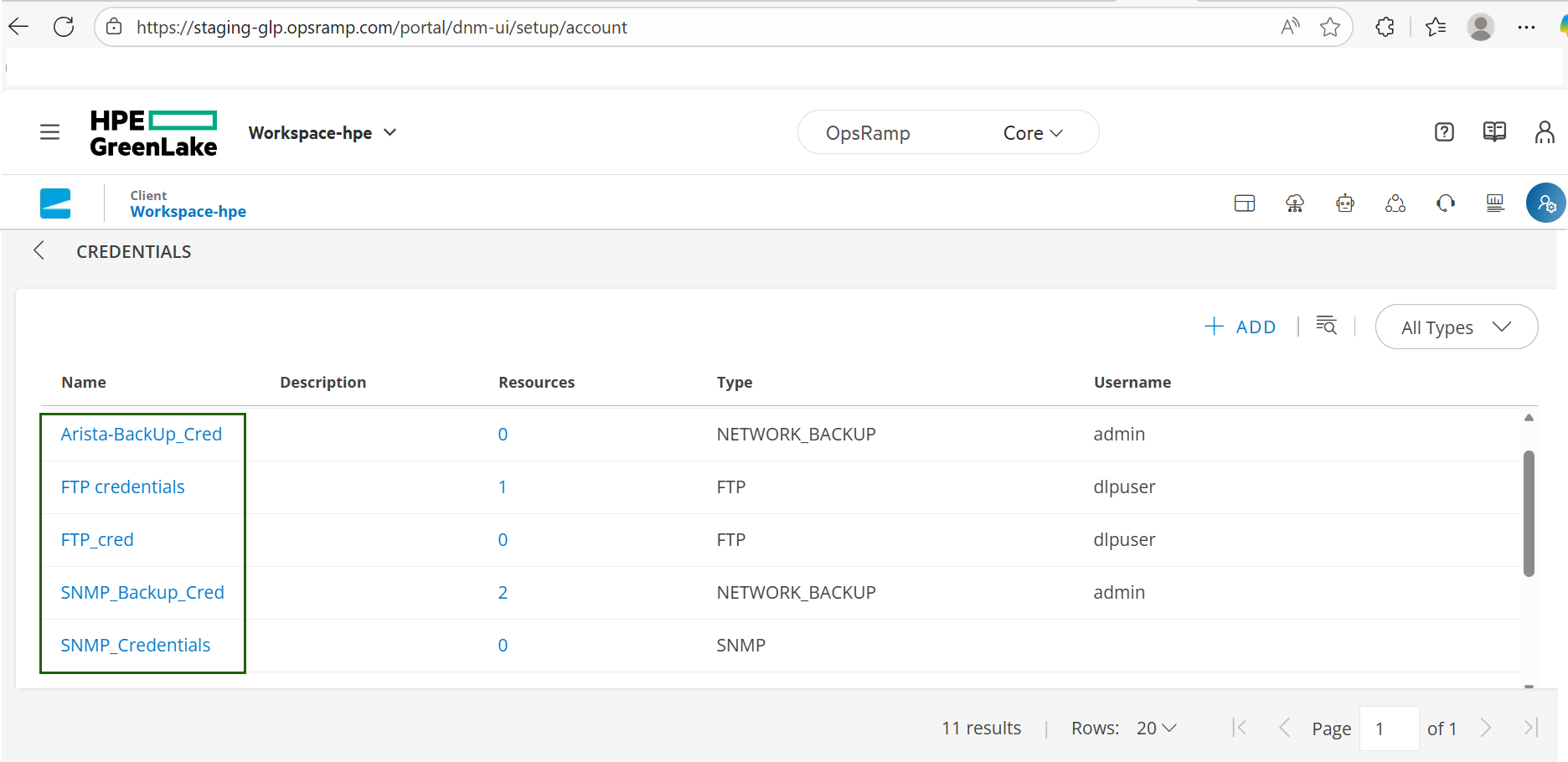
- Copy and share all the credential names.
- Same Onboarding template:

Activation confirmation
Once the ASM receives the information and validates the data, you will receive a confirmation from the ASM that the metering has been activated successfully.
Resource data for billing
The following table lists the resources for which data is collected and processed for flex metering and invoicing:
| VMware | Block storage raw | Block storage usable | VAST (file storage) | MSA | StoreOnce |
| Synergy systems | DL Servers | Cohesity | Commvault | Qumulo | Red Hat ODF Storage |
| Scality | Veeam Backup | Nvidia GPU Monitoring | Windows Failover Cluster | Linux Failover Cluster | Azure Stack HCI |
| VM Essentials (vmHost) | VM Essentials (vm) | ILO Server | Object Storage (Alletra X10000) | PCAI service |
×![]()