Introduction
The deployment tool helps user to deploy the OpsRamp Agent in bulk across Windows servers.
This guide describes how to install the OpsRamp Agent on windows using Agent deployment tool.
- Step 1: Install Microsoft Windows OS Integration
- Step 2: Choose connection type (Direct or Proxy) and download the deployment tool:
- Step 3: Install the Agent
Prerequisites
- Ensure that all the servers are accessible from Jump server.
- Ensure that OpsRamp Agent is downloaded and saved on Jump server. A Jump server refers to the main server that acts as launchpad to install agent on multiple servers.
Note
OpsRamp recommends to have the same set of credentials for all the devices on which Agent needs to be installed.Install Microsoft Windows OS Integration
Refer to Install Microsoft Windows OS Integration document.
Download the Agent Deployment Tool
Refer Download Windows Agent document.
Install the Agent
- Navigate to the downloaded file.
- Copy the downloaded Agent Deployment Tool to the jump server.
- Run the AgentDeployment.exe file as administrator.
- The new screen will displayed. Enter the Input Discovery IPs details.
- Option 1: Range of SubNet IPs
- Provide the range of IPs where agnet deployment tool should be installed.
- Enter Domain\Username and Password details
- Option 2: SubNet (one wildcard)
- Provide a SubNet IPs where agnet deployment tool should be installed.
- Enter Domain\Username and Password details
- Option 3: Only for Specific IPs
- Provide a specific IP where tool should be installed.
- Enter Domain\Username and Password details
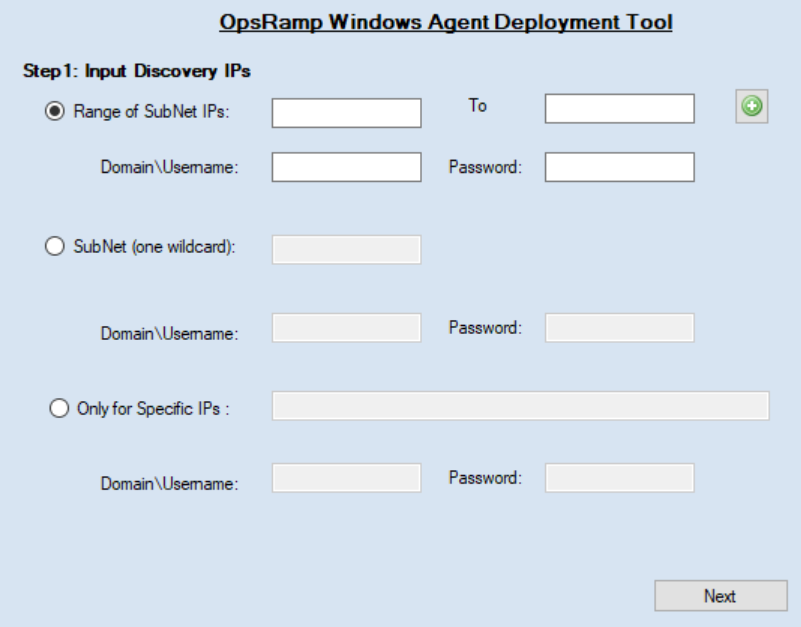
Click Next.
From the list of Available Devices, select the devices on which you want to install Agent and move to Selected Devices.
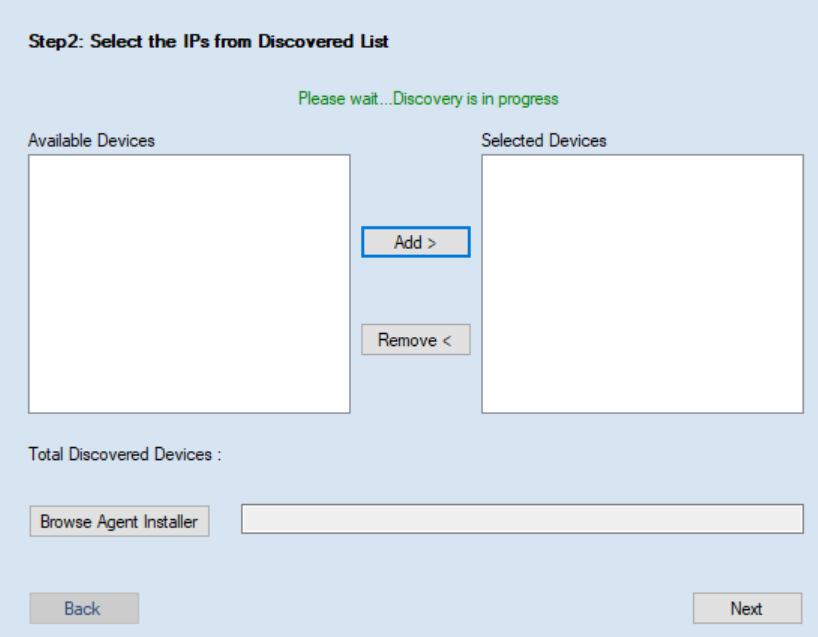
Click Browse Agent Installer and select the OpsRamp Windows Agent file that is downloaded from OpsRamp. Click Next.
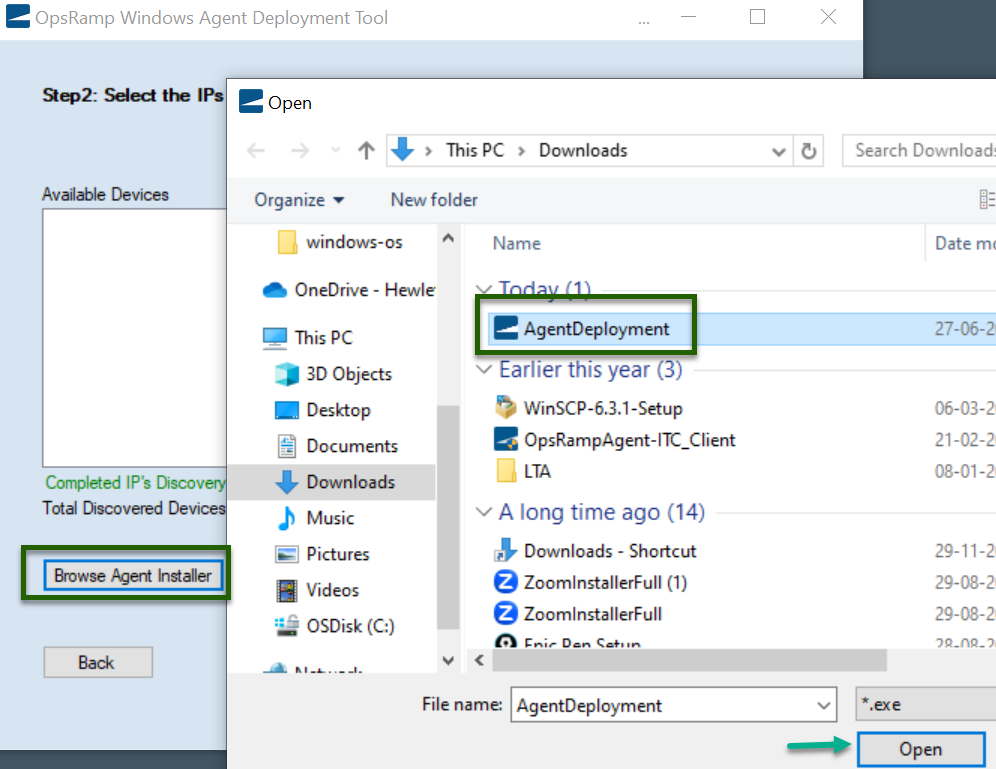
Click Install.